


Install MySQL 8 Community Server (mysql-community-server) on Azure VM(IAAS) Linux 8 CentOS
Posted by Sriram Sanka on June 11, 2021
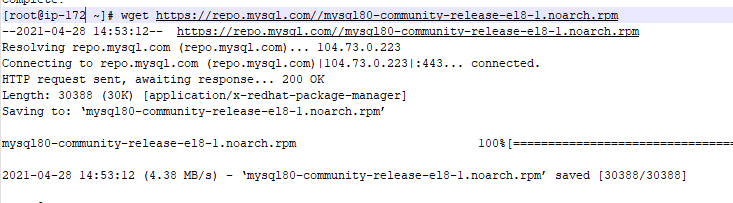
Download and Add MySQL Yum Repository.
wget https://repo.mysql.com//mysql80-community-release-el8-1.noarch.rpm
Install the downloaded release package.
yum localinstall mysql80-community-release-el8-1.noarch.rpm

You can check that the MySQL Yum repository has been successfully added by the following command (If Yum Is not available, you can use dnf , instead.)
yum repolist enabled | grep "mysql.-community."

Installing MySQL
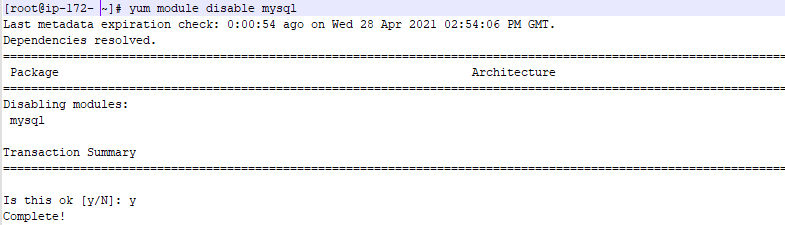
Linux 8 includes a MySQL module that is enabled by default., Disable the Default Module to avoid following Error.
yum -y install mysql-community-server

yum module disable mysql
yum install mysql-community-server

Start and Enable the Server

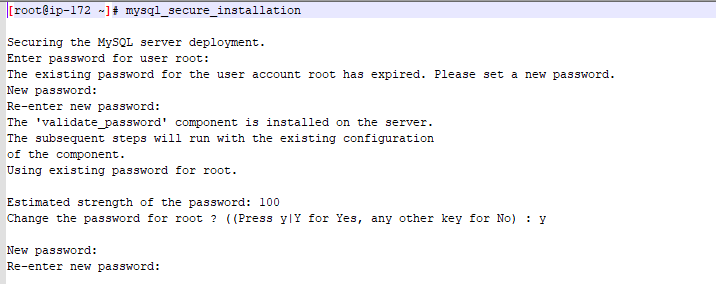
Get the temp Password before Secure Configurations.

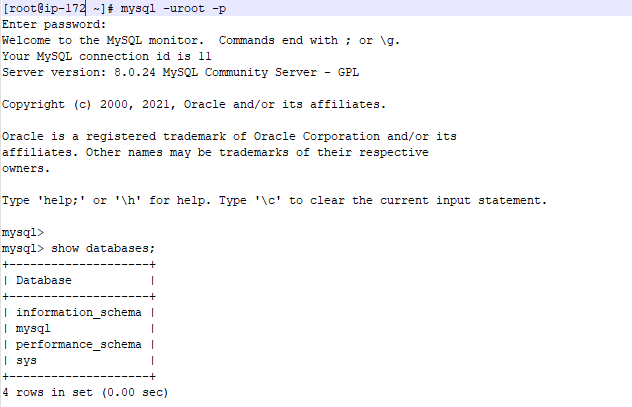
Continue with the Options and change the Password.
Leave a Reply